
Installation paths for lucky77
We offer three main routes to access lucky77 on your phone: direct APK download for Android, browser access for iOS, and our web app for any device. Each path takes fewer than five minutes to complete. Choose the method that matches your phone's operating system and your comfort level with app installation.
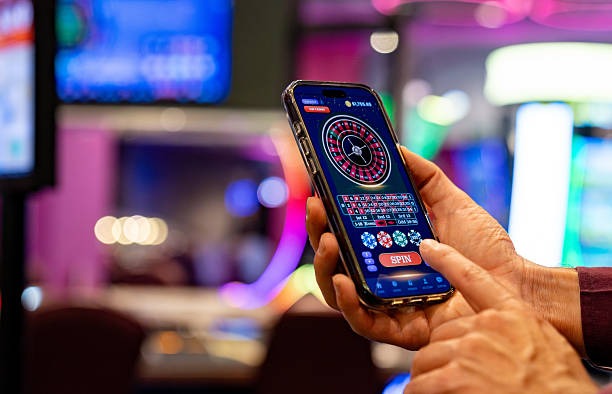
Android APK installation
On Android, download our APK file directly from the link above. Your phone may ask to allow installations from unknown sources; this is a standard Android security prompt. Go to Settings → Apps → Allow installation from unknown sources, then return to your browser and complete the download. Once the APK file appears in your downloads folder, tap it to install. The app icon will appear on your home screen within seconds.
iOS browser access
On iPhone or iPad, open Safari and navigate to our web app URL. You do not need to install anything from the App Store. Add lucky77 to your home screen by tapping Share → Add to Home Screen, and a shortcut will appear that loads our platform in full-screen mode. Updates happen automatically when you next access the shortcut; no manual installation steps are required.
Web app for all devices
Any smartphone, tablet, or computer can load our progressive web app through a standard web browser. Simply bookmark the link and return whenever you want to play. The web version caches data locally, so tables load faster on repeat visits, and you can access your account even during brief network interruptions.
-
Download and install
Choose Android APK, iOS browser, or web app and follow the platform-specific step above.
-
Register or log in
Use an email address and create a secure password. If you already have a lucky77 account, enter your login credentials.
-
Verify your identity (KYC)
Upload a national ID, address proof, and a selfie. Verification typically completes within one business day.
-
Add a payment method
Link e-wallet, mobile banking, local payment, online payment, or a bank account. Your first deposit appears in your lucky77 balance immediately.
Same account across all devices
Your lucky77 balance, game history, and live-table session carry over seamlessly. Log in on Android in the morning, switch to your laptop in the afternoon, and return to your phone at night—no resync needed.
App versus browser: strengths and trade-offs
Our native Android app caches live-table video frames locally, reducing data usage by 30–non-specific info on weak networks and allowing offline access to your account history and game rules. Push notifications alert you to new live-dealer sessions and sportsbook odds updates. The app also integrates directly with your device's payment apps—when you tap a e-wallet or mobile banking button, the handoff is immediate. Browser access (iOS Safari or any web browser) requires no installation and updates automatically; it is ideal if you prefer simplicity or switch devices frequently. Both methods use the same backend servers, so performance and security are identical. Choose the app if you prioritize speed and offline features; choose the browser if you value portability and minimal setup.
Device compatibility and system requirements
Our lucky77 platform runs on Android 7.0 and newer, iOS 12 and newer, and all modern versions of Chrome, Firefox, Safari, and Edge browsers. If your Android device is older than version 7, we recommend upgrading or using the web version on a tablet or computer instead. iOS users should update to at least iOS 12; most iPhones from 2016 onward support this version. Tablets (iPad, Samsung Galaxy Tab) work identically to phones and may offer a larger view of live-dealer tables. We do not support Windows Phone or other legacy operating systems. Contact our support team if you have questions about whether your specific device is compatible; we typically respond within four hours during business days.
Troubleshooting common installation issues
If your Android download stalls, check that your phone has at least 50 MB of free storage space and that your browser is not blocking downloads in its settings. If the APK will not install after download, verify that unknown sources are enabled (Settings → Apps → Special app access → Install unknown apps). On iOS, if the browser shortcut does not appear after tapping Add to Home Screen, try opening Safari in full-screen mode and clearing your browser cache, then retry the share menu. If the web app loads slowly, close other browser tabs to free memory, or restart your phone and reconnect to WiFi. Most issues resolve within one or two attempts. If a problem persists after these steps, open a support ticket with your device model and operating system version; our team will investigate within two to four business hours.
Data usage, permissions, and account security
Our lucky77 app requests permission to access your device's camera (for KYC selfie uploads), microphone (for live-table chat, optional), location (to verify jurisdiction compliance), and payment apps (to streamline local payment and online payment transfers). All permissions are optional except location, which we use to check that you are in a supported jurisdiction; you can revoke this permission in your phone's settings at any time. The app uses HTTPS encryption for all data in transit, and your password is never stored on your device—only a session token, which expires after inactivity. We do not track your location beyond the initial jurisdiction check, nor do we sell or share your data. If you lose your phone, log into your lucky77 account from another device and change your password immediately; this invalidates all old session tokens and secures your account. Our support team can help with account recovery; contact us with proof of identity and we will assist within one business day during standard hours.
Mobile access to lucky77 is designed for interruption-tolerant play. Tables remain responsive even on 3G, and your session persists if you switch from WiFi to mobile data mid-session.